
Install
- Click Download free ZIP on the product page.
- In WordPress, go to Plugins → Add New Plugin → Upload Plugin, choose
webxdev-category-discount-1.0.1.zip, click Install Now, then Activate.
Add a discount
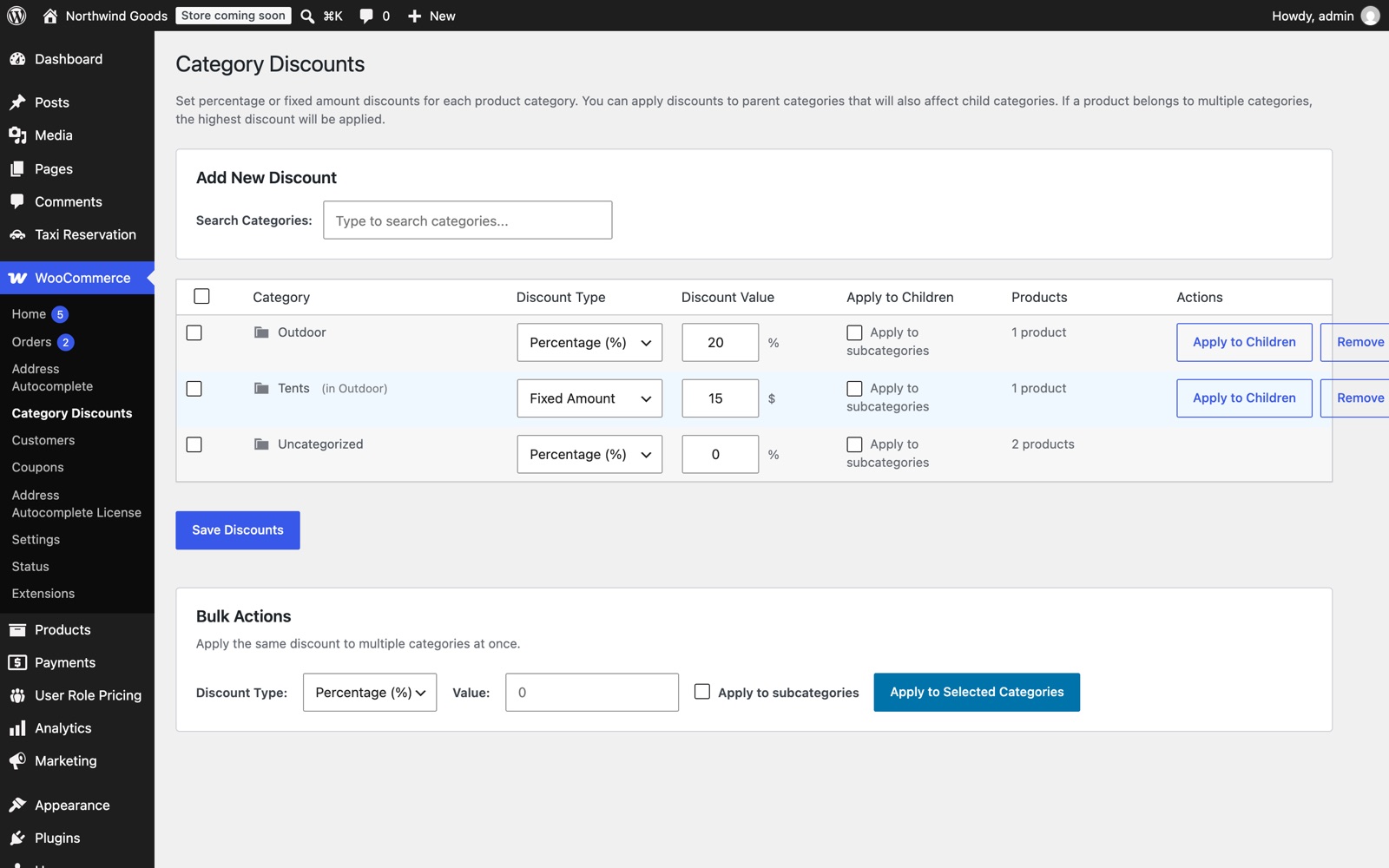
- Go to WooCommerce → Category Discounts.
- Find the category in the table, or search for it under Add New Discount.
- Choose Percentage (%) or Fixed Amount, enter the value, and click Save Discounts.
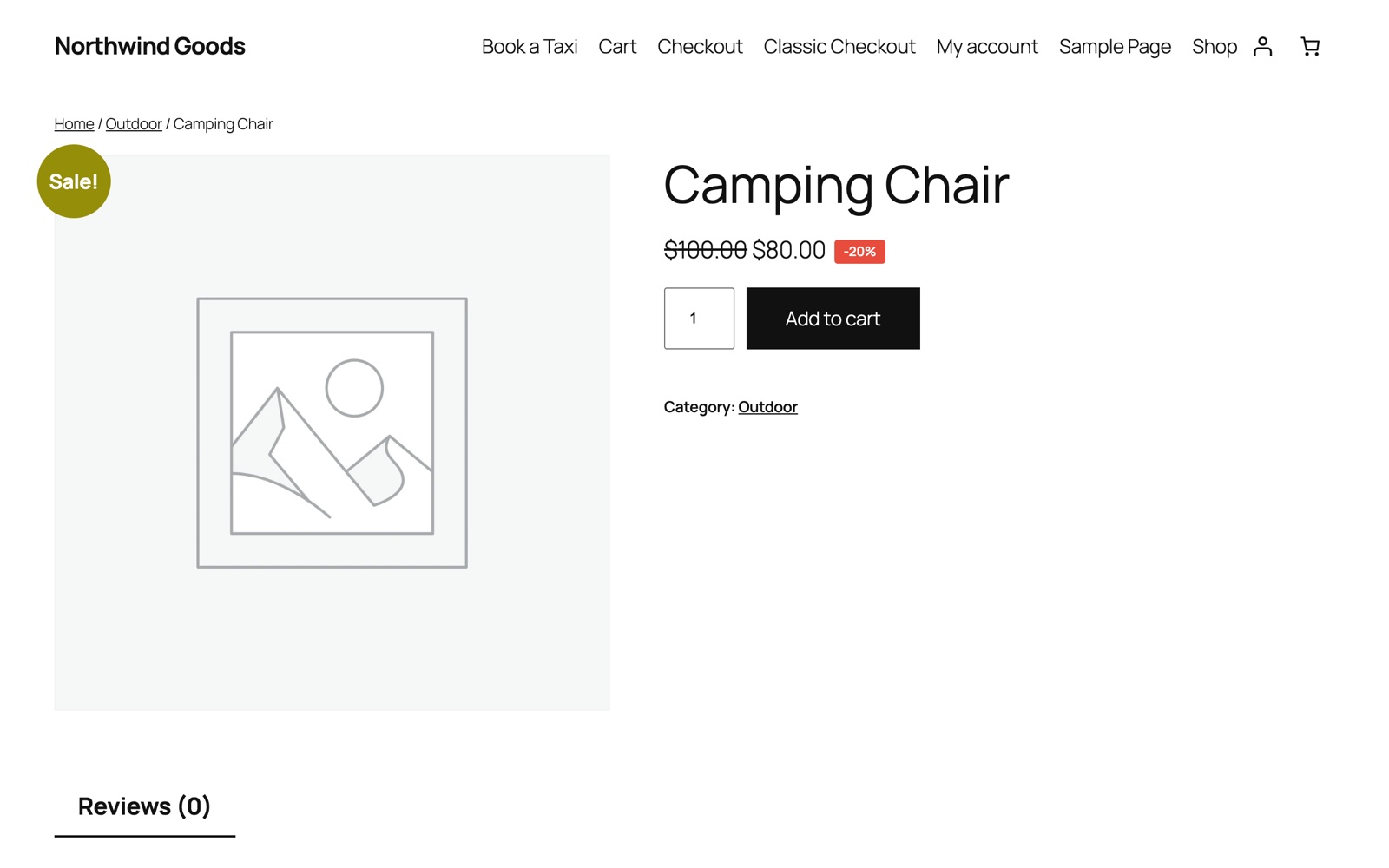
Prices update immediately. A $100 product with 20% off shows $100.00 $80.00 with a -20% badge. A fixed $15 discount shows $100.00 $85.00.
Subcategories
To discount a parent category and everything under it, set the parent's discount and click Apply to Children. To have new subcategories inherit it, tick Apply to subcategories.
Bulk actions
Tick several categories in the table, choose a type and value under Bulk Actions, and click Apply to Selected Categories.
Rules
- A percentage must be between 0 and 100. A fixed discount never makes a price lower than zero.
- The discount is taken off the product's regular price.
- If a product is in more than one discounted category, the highest discount applies.
- Set a category's value to 0 or click Remove to end its discount.
Who can change discounts
Administrators and Shop Managers.
Changelog
1.0.1
- Renamed to Category Discount for WooCommerce.
- Security: only store managers can run the category search and apply-to-subcategories actions.
- Shop Managers can save discount settings.
- Rejects invalid discount types and percentages over 100.
- Tested with WordPress 7.1 and WooCommerce 11.3.