
From install to your first quote takes about fifteen minutes. Questions? Contact support with your order number.
Requirements
- WordPress 5.6 or newer (tested with WordPress 7.1), PHP 7.4 or newer.
- Your server must be able to make outgoing HTTPS requests to Google and to
www.webxdevelopments.com. - A Google Cloud project with billing turned on.
Install and activate
- Download
taxi-reservation-1.1.0.zipfrom Account → Downloads. - In WordPress, go to Plugins → Add New Plugin → Upload Plugin, choose the ZIP, click Install Now, then Activate. A Taxi Reservation menu appears.
- On this site, open Account → Licenses, click Show license key and copy it.
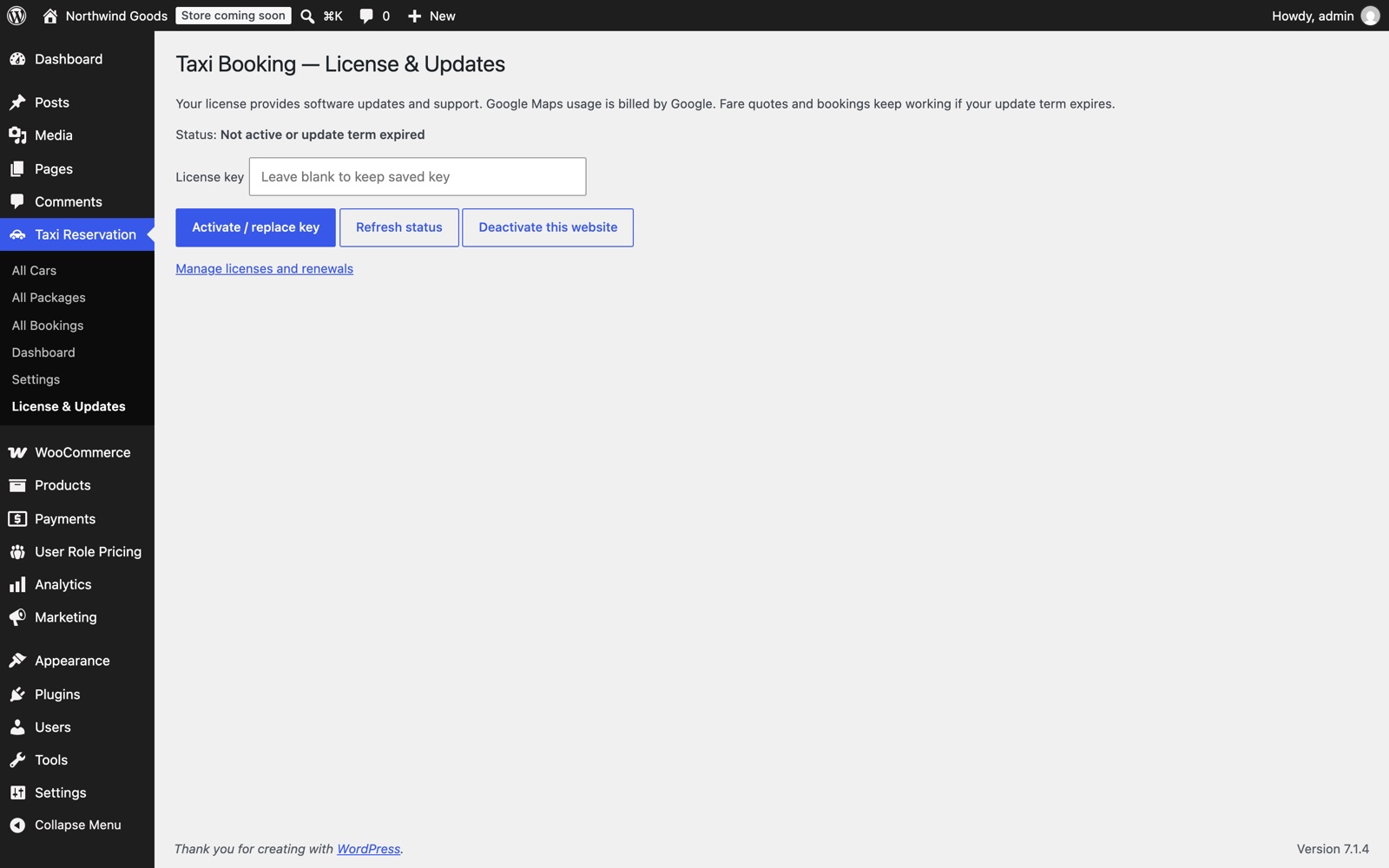
- In WordPress, go to Taxi Reservation → License & Updates, paste the key and click Activate / replace key.
Create a Google API key
- In the Google Cloud console, choose a project with billing enabled.
- Under APIs & Services → Library, enable Places API (New) and Routes API.
- Under Credentials, create an API key and restrict it:
- Application restrictions: IP addresses. Add your web server's public IP address (your host can tell you).
- API restrictions: Places API (New) and Routes API.
Don't use a website (HTTP referrer) restriction: the plugin calls Google from your server, so Google would refuse every request.
Settings
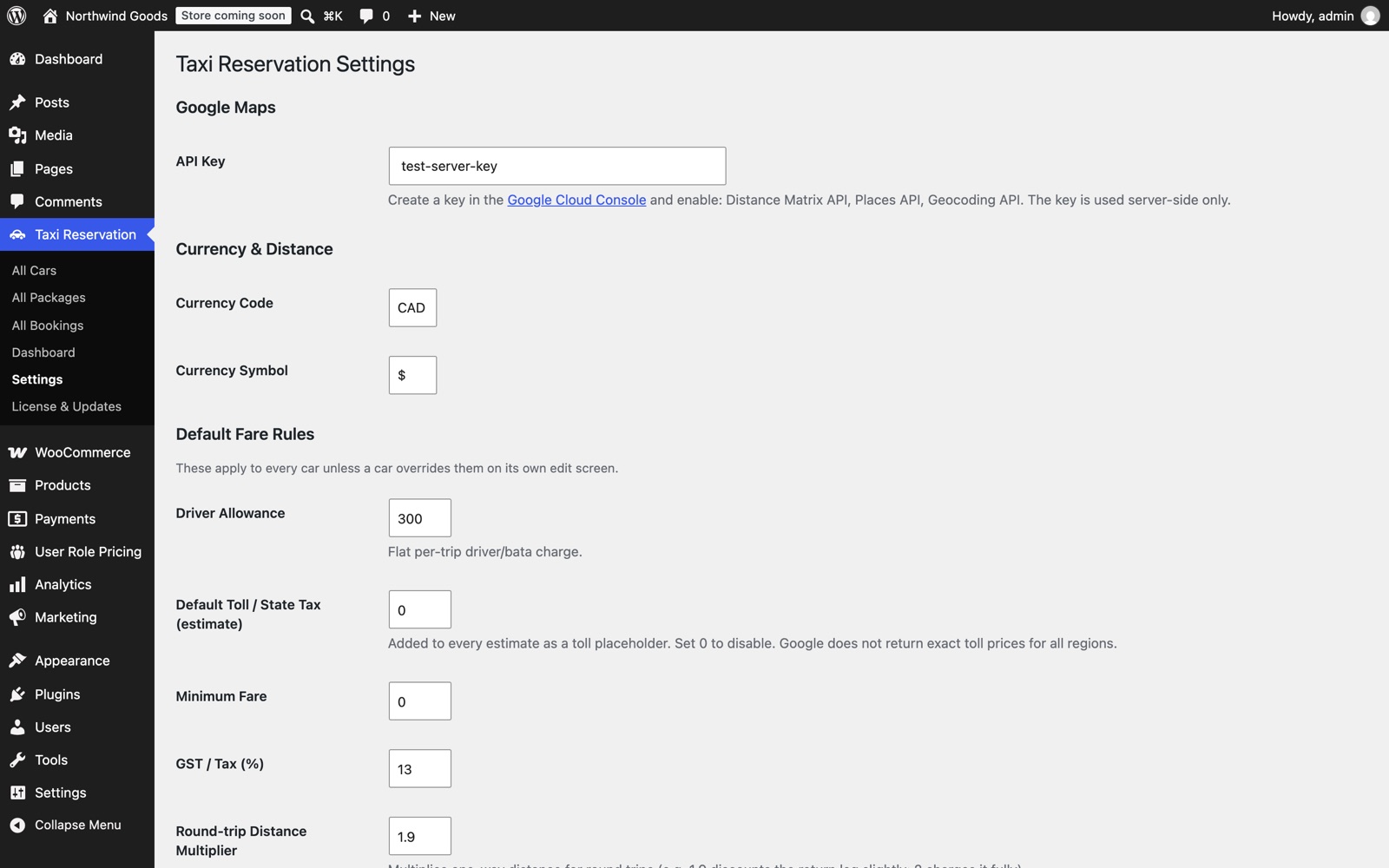
Go to Taxi Reservation → Settings.
| Setting | What it does |
|---|---|
| Google Maps API key | The server key you created. |
| Currency and symbol | Shown on every fare. |
| Tax % | Added to the fare subtotal and shown as its own line. |
| Driver allowance | Default allowance, used when a car doesn't set its own. |
| Night charge and hours | Extra charge when the pickup time falls in the night window. |
| Default toll | Estimated tolls added to each trip. |
| Minimum fare | The lowest fare any trip can cost. |
| Round-trip multiplier | How distance is charged for a return trip. |
| Notifications | Email the customer, the admin, or both, for each booking. |
| Terms | Text shown under the fare. |
Add your cars
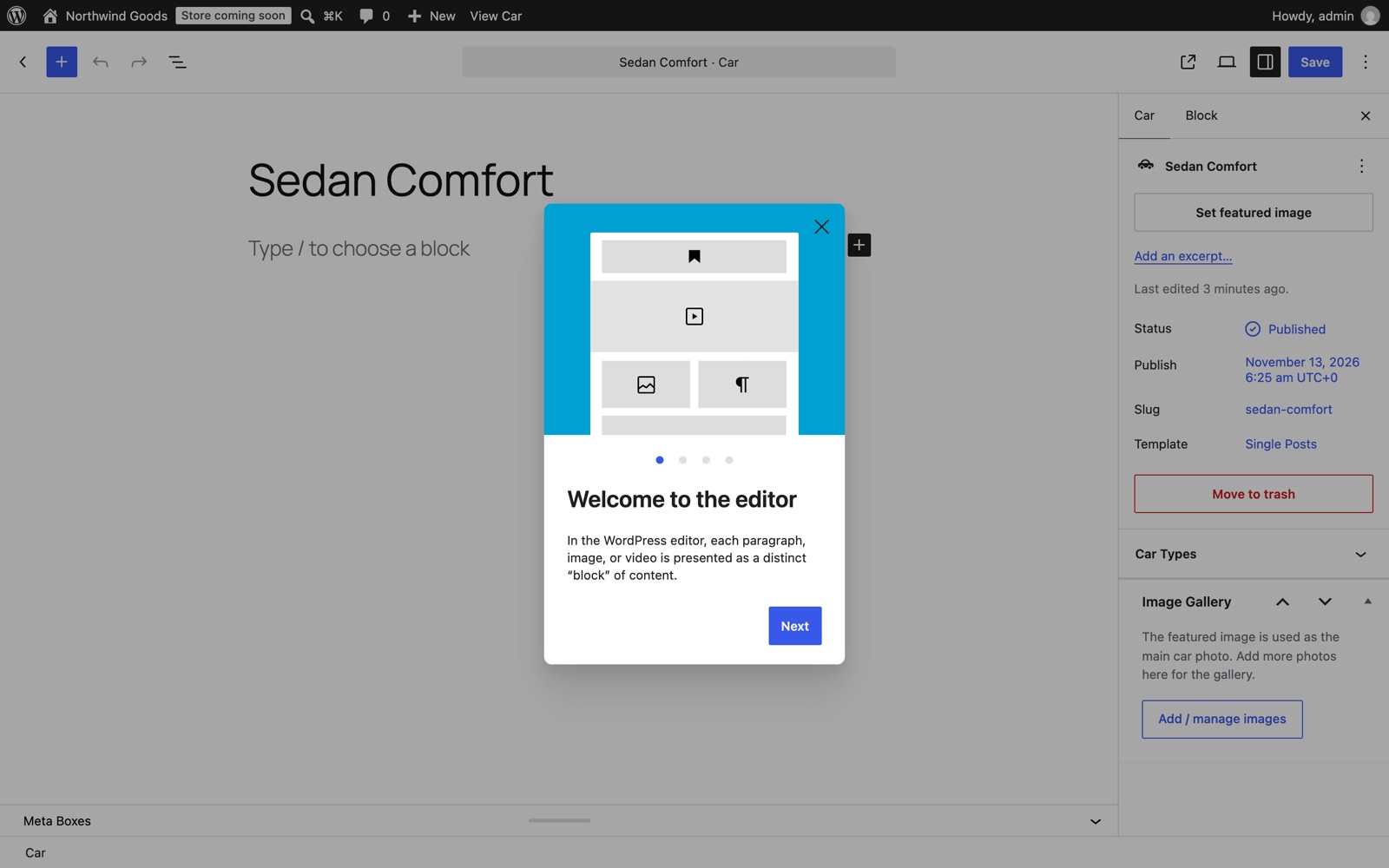
Go to Taxi Reservation → Cars → Add New. Give the car a name and featured image, add gallery photos, then fill in Pricing:
- Per-km price: charged for every kilometre after the base distance.
- Base fare and Base km: the base fare covers the first base kilometres. For example, $6 for the first 3 km.
- Minimum fare, Driver allowance, Night charge: leave empty to use the defaults from Settings.
- Extra charges: any named flat charges, such as "Airport fee $15".
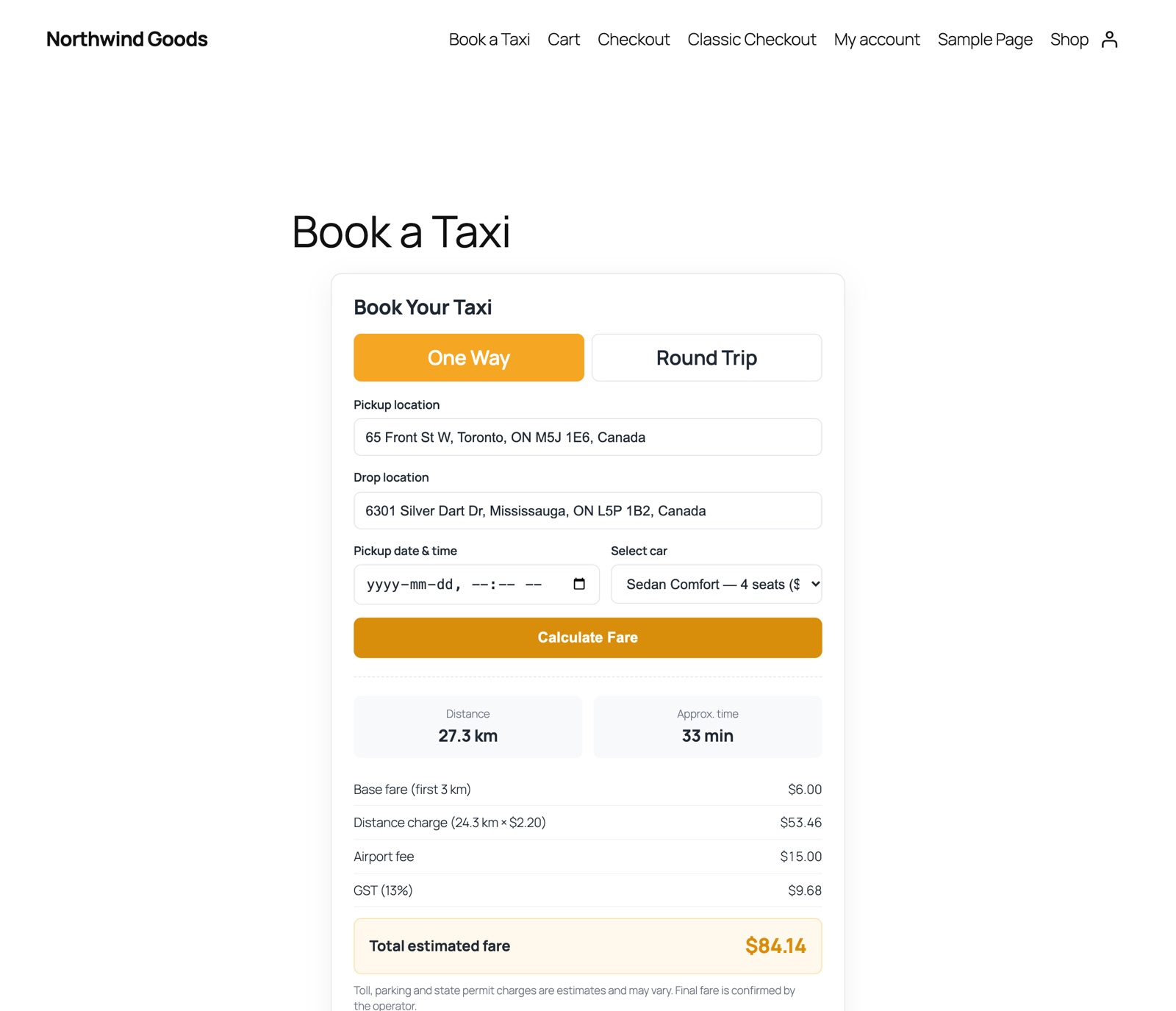
Example: a 27.3 km trip in a car with a $6 base fare for 3 km, $2.20 per km and a $15 airport fee, with 13% tax: $6 + (24.3 km × $2.20 = $53.46) + $15 = $74.46, plus $9.68 tax = $84.14.
Tour packages
Under Taxi Reservation → Packages, add fixed-price trips with a duration, vehicle type, inclusions and a day-by-day itinerary.
Put the booking form on your site
Add a shortcode to any page:
| Shortcode | Shows |
|---|---|
[taxi_fare_calculator] | Booking form and fare calculator |
[taxi_fare_calculator title="Get a quote" car="12"] | Same, with your own title and a car preselected (use the car's ID) |
[taxi_cars columns="3"] | Your cars and their rates |
[taxi_packages columns="3"] | Your tour packages |
How customers book
- Type a pickup address and choose a suggestion, then the drop-off.
- Choose one-way or round trip, the date and time, and a car.
- Click Calculate Fare to see the distance, time and breakdown.
- Click Book This Trip, enter name, phone and email, and submit. They get a booking reference, and the emails go out.
Bookings
Taxi Reservation (the dashboard) shows your bookings with totals and revenue, and lists each booking with its reference, trip, car, fare and the customer's contact details. New bookings arrive as Pending; contact the customer by phone or email to confirm the trip.
REST API
| Request | Returns |
|---|---|
GET /wp-json/taxi/v1/cars | Published cars with their pricing |
GET /wp-json/taxi/v1/packages | Published tour packages |
POST /wp-json/taxi/v1/estimate with car_id, pickup, drop, trip_type | A fare estimate. Pickup and drop can be addresses or lat,lng. |
Rate limits
To protect your Google bill, each visitor (by IP address) can make up to 120 address searches and 60 place lookups per 10 minutes, 30 fare quotes per 10 minutes, and 5 bookings per hour. Change these with the taxi_reservation_rate_limit filter, or return 0 to turn one off:
add_filter( 'taxi_reservation_rate_limit', function ( $limit, $action ) {
    return 'booking' === $action ? 10 : $limit;
}, 10, 2 );
If your site is behind a proxy or CDN, use the taxi_reservation_rate_limit_ip filter to return the visitor's real IP from your proxy's trusted header.
Troubleshooting
"Google Maps rejected the request." The key is wrong, an API isn't enabled, billing is off, or the key has a website restriction. Use an IP address restriction instead.
"No driving route could be found." Google found no road route between the two places, for example across a sea. Check the addresses.
"Too many requests." A rate limit was reached. Wait ten minutes, or raise the limit with the filter above.
Emails don't arrive. WordPress needs a working mail setup. Install an SMTP plugin and send a test email.
Changelog
1.1.0
- Google Places API (New) and Routes API, required for Google Cloud projects created since March 2025.
- Per-visitor rate limits on address search, fare quotes and bookings.
- License activation and one-click updates.
- Renamed to Taxi Booking & Fare Calculator.
1.0.0
- Initial release.