
Install
- Click Download free ZIP on the product page.
- In WordPress, go to Plugins → Add New Plugin → Upload Plugin, choose the ZIP, click Install Now, then Activate. A User Role Pricing menu appears.
Create your roles
Go to User Role Pricing → Manage Roles and add a role, for example Wholesaler. You can start from an existing role's permissions; for buyers, choose Customer.
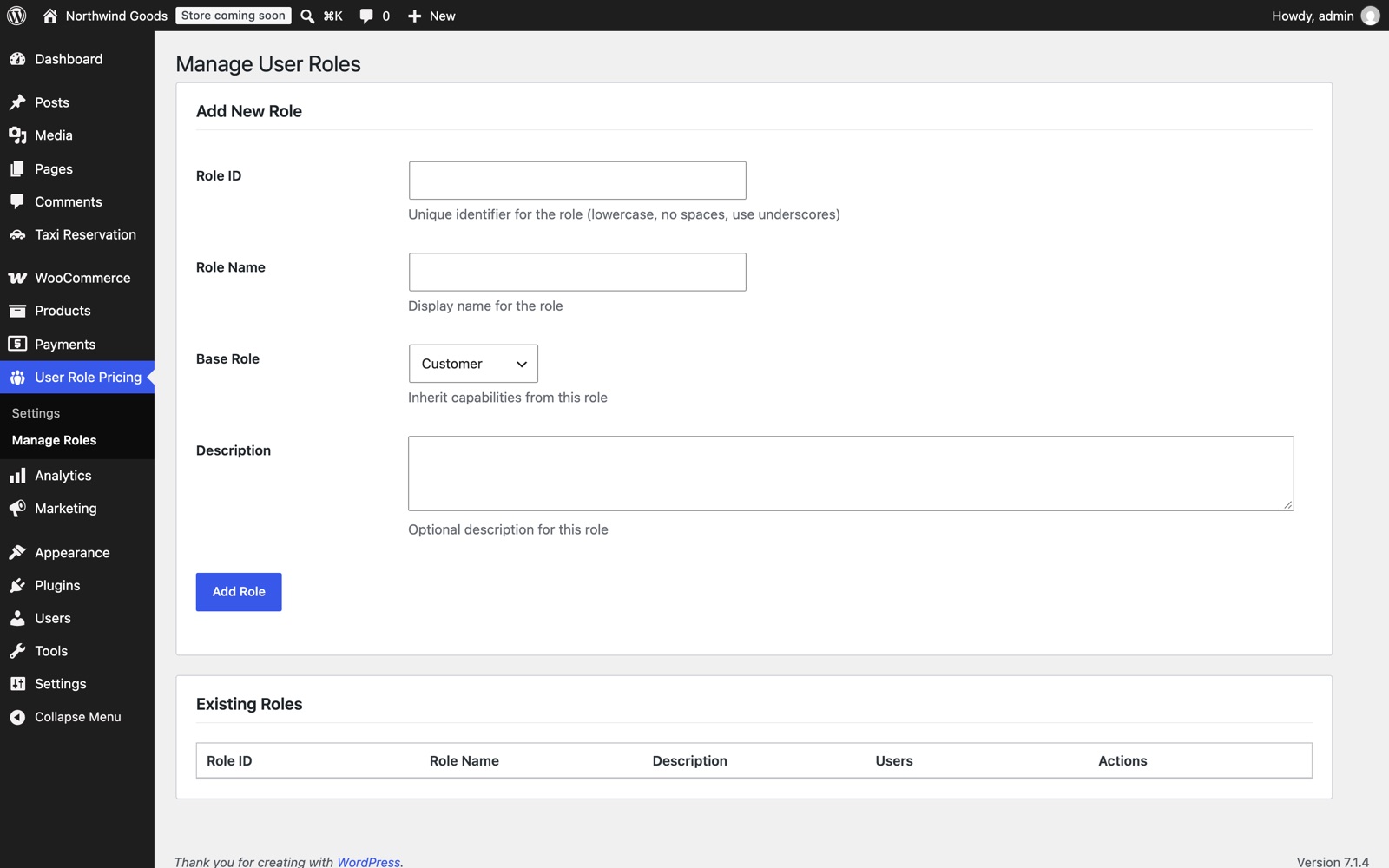
Only roles you create here can be renamed or deleted from this screen, so WordPress and WooCommerce roles such as Shop Manager stay safe. A role with users assigned can't be deleted.
Choose which roles get special prices
Go to User Role Pricing → Settings, tick the roles under Active Pricing Roles, and save.
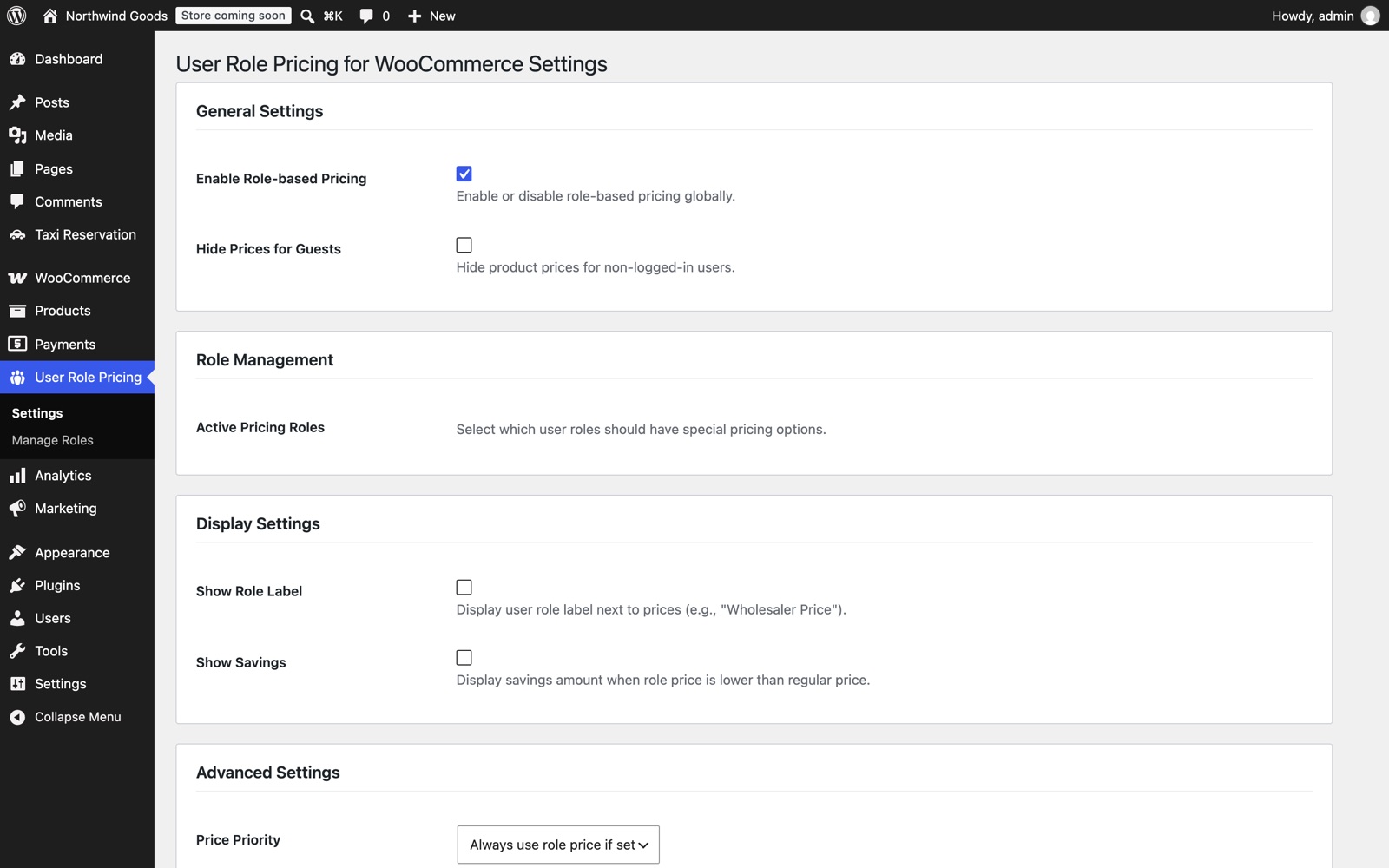
| Setting | What it does |
|---|---|
| Enable Role-based Pricing | Turns role prices on or off for the whole store. |
| Hide Prices for Guests | Logged-out visitors see your message instead of prices and can't add to cart. |
| Guest Message | The message shown instead of prices. |
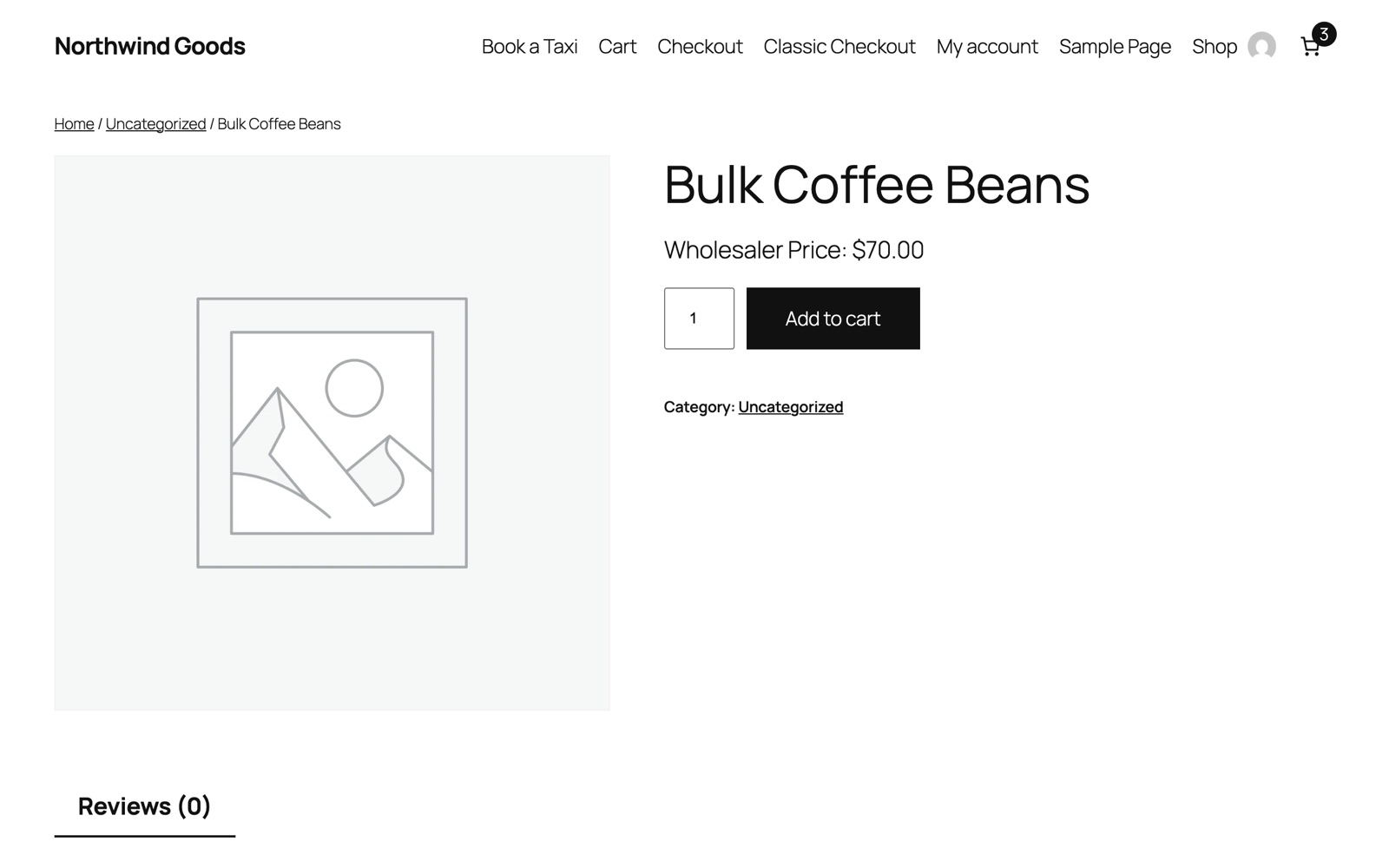
| Show Role Label | Shows "Wholesaler Price:" before the price. |
| Show Savings | Shows "You save: $30.00 (30%)" when the role price is lower. |
| Price Priority | Always use the role price, or use whichever price is lowest. |
Set prices
Edit a product. In Product data, open the Role Pricing tab and enter a regular price, and optionally a sale price, for each role. For a variable product, open each variation; role prices are inside it. Leave a role's price empty to use the normal price.
Give customers a role
Go to Users, edit the customer, change Role to the new role, and save. The next time they log in, they see their prices.
Good to know
- Role prices apply in the shop, product pages, cart and checkout.
- Prices are set per product and per variation. Category-wide or percentage rules aren't part of this plugin.
- Administrators see normal prices unless a product has a price for the Administrator role.
Changelog
1.0.1
- Renamed to User Role Pricing for WooCommerce.
- Only roles created by the plugin can be renamed or deleted.
- Role label and savings shown only on products with a price for that role.
- Permission check on the role list; escaped role names; fixed a cart warning with older settings.
- Tested with WordPress 7.1 and WooCommerce 11.3.