
WordPress plugins
AI Chatbot for WordPress
An AI assistant for your WordPress site that answers from your own pages, captures leads, and works with OpenAI, Claude, Gemini, Amazon Bedrock and more.
WordPress plugins
An AI assistant for your WordPress site that answers from your own pages, captures leads, and works with OpenAI, Claude, Gemini, Amazon Bedrock and more.
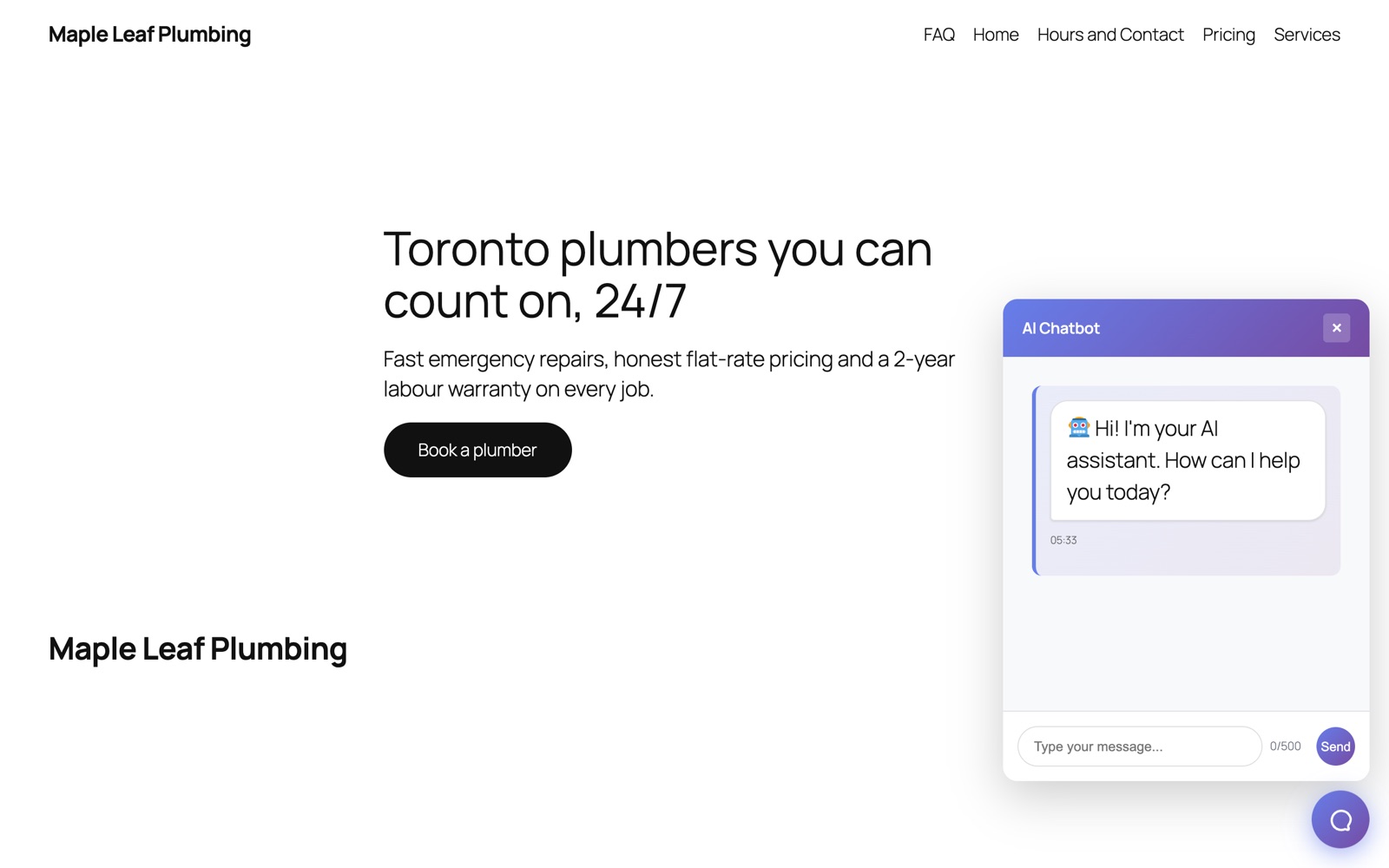
AI Chatbot reads your published WordPress pages and posts, then answers visitors' questions with that content: your prices, your hours, your services, your policies. It links to the page the answer came from, and when a visitor is ready to talk to you, it collects their name, email and phone number.
You choose the AI model and pay that provider directly at their normal rates. Your API keys stay on your server; visitors' browsers never see them.
Answers from your own content. The plugin searches your pages, posts and the post types you choose, and strips page-builder markup from Elementor, Divi, WPBakery and Beaver Builder so the AI reads clean text.
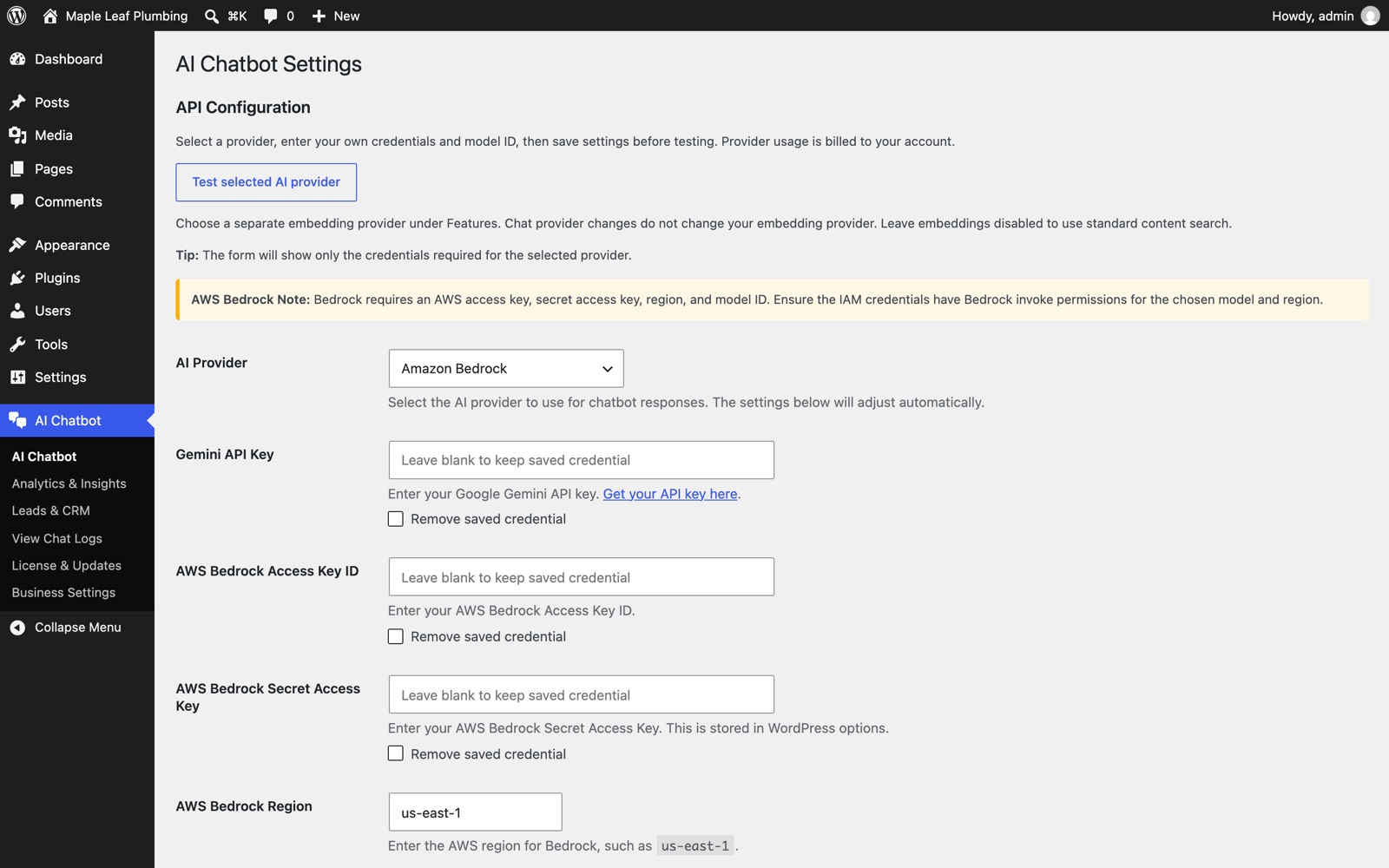
Eight AI providers. OpenAI, Anthropic Claude, Google Gemini, Amazon Bedrock, Mistral, Groq, DeepSeek, or any OpenAI-compatible API. Switch providers at any time without losing your settings.
Semantic search. Optional vector embeddings, through Gemini or Amazon Bedrock Titan, match a question to the right page even when the visitor uses different words.
Lead capture and CRM. Leads from the chat land in AI Chatbot → Leads & CRM where you track each one: new, contacted, qualified, converted or lost.
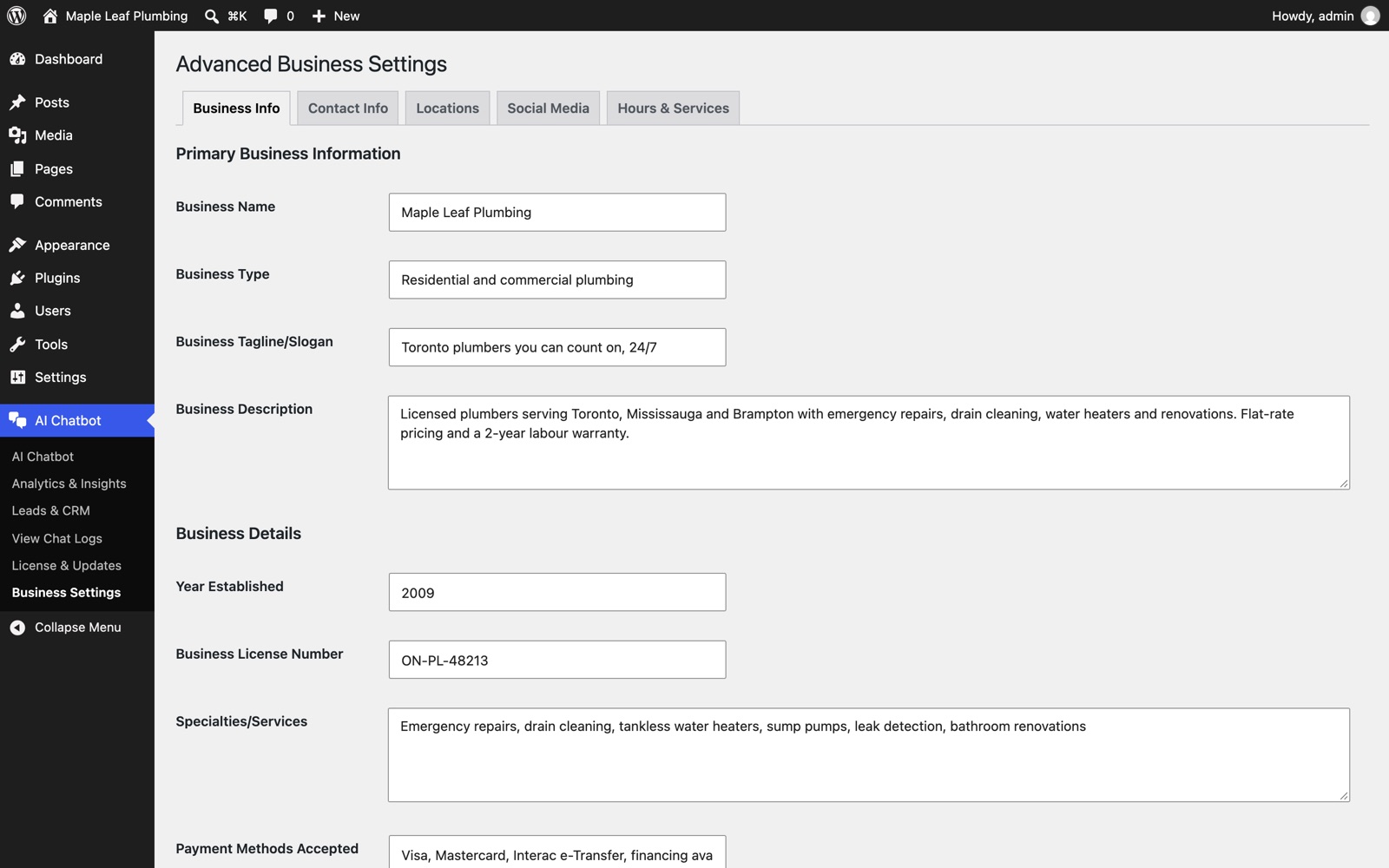
Your business details. Add hours, phone numbers, locations, services and payment methods once, and the assistant answers those questions correctly.
Chat logs and analytics. Read past conversations, and see the most common questions, the ones it couldn't answer, and visitor ratings.
Floating button or shortcode. Show the chat on every page with one switch, or place it inside any page with [ai_chatbot].
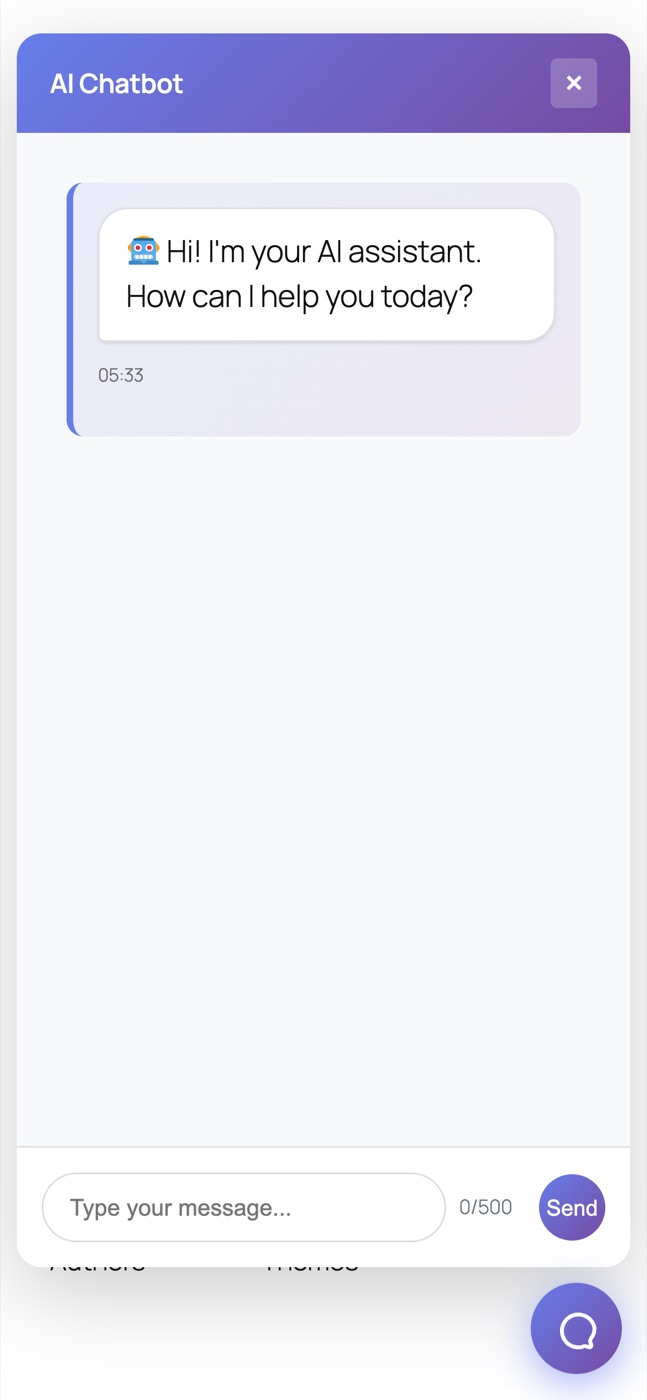
Works on phones. The chat window fills the screen on mobile, with the message box always at the bottom.
WooCommerce, contact forms and listings. Built-in integrations for WooCommerce stores, contact forms and real-estate listings.
Secure by default. Every request is checked with WordPress nonces, input is sanitized and length-limited, requests are rate-limited, and errors never reveal your keys or provider details to visitors.
| Provider | What you need |
|---|---|
| OpenAI | An API key from platform.openai.com |
| Anthropic Claude | An API key from console.anthropic.com |
| Google Gemini | An API key from Google AI Studio |
| Amazon Bedrock | AWS access keys with Bedrock permission, a region and a model ID |
| Mistral, Groq, DeepSeek | An API key from the provider |
| OpenAI-compatible | The endpoint URL, API key and model name |
Every plan is a yearly license with one-click updates inside WordPress and email support. Each website domain you activate uses one slot, and you can move a license between sites at any time from Account → Licenses.
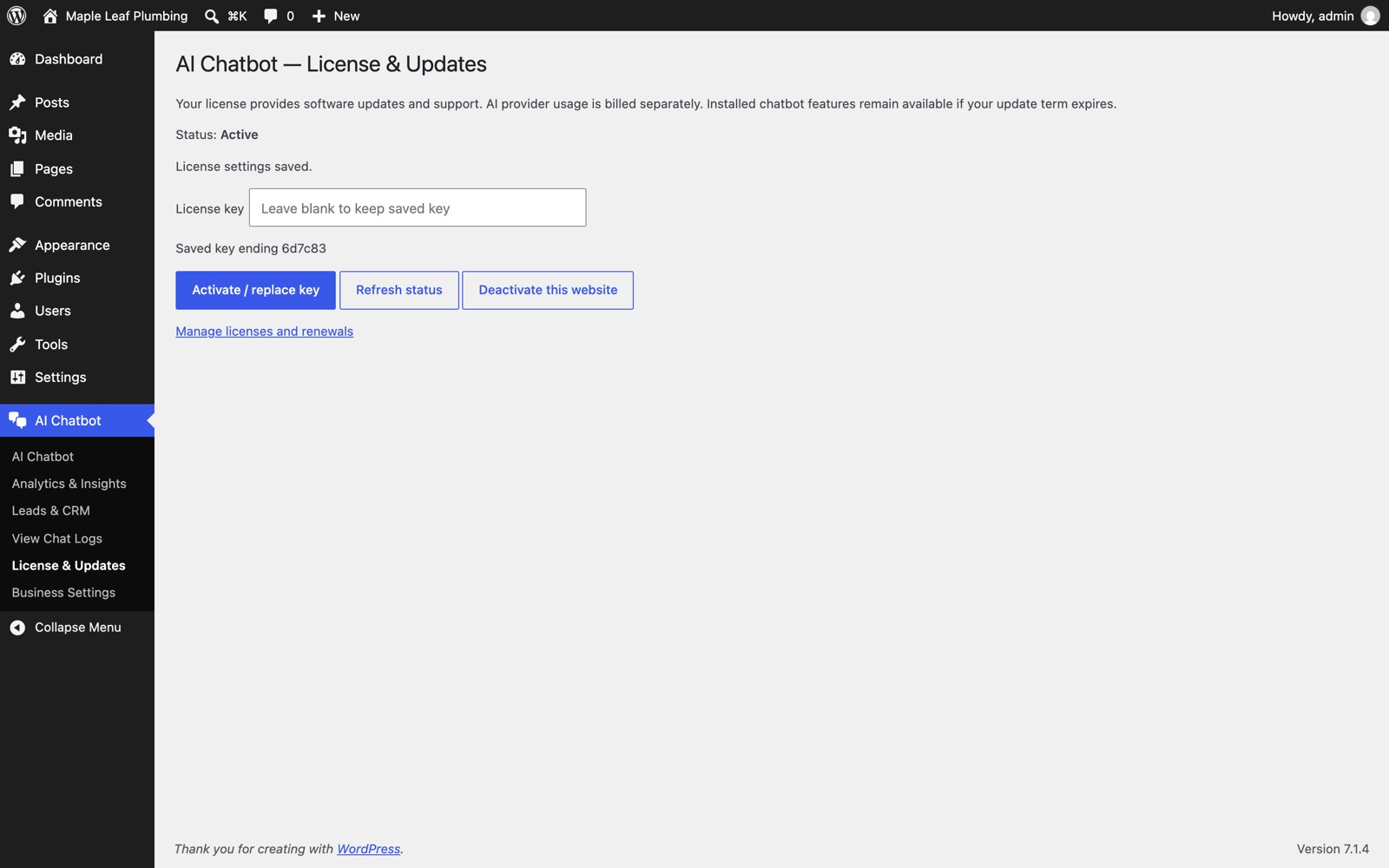
If you cancel or your license expires, the chatbot keeps working. Only updates, new activations and support stop until you renew.
Is AI usage included? No. You pay your AI provider directly for what you use. Check your provider's pricing page; smaller models such as Claude Haiku, GPT-4.1 mini or Gemini Flash cost the least.
Can I try it before buying? Ask us for a demo through the contact page, and read the full documentation first.
Does a staging site use an activation? Yes, each domain uses one activation. Deactivate the staging site when you go live to free the slot.
Billing questions? Contact us with your order number, or manage your subscription in Account → Licenses.
WordPress 5.0+ (tested with 7.1), PHP 8.2+, and an API key from your chosen AI provider. Install: Plugins → Add New Plugin → Upload Plugin, then activate your key under AI Chatbot → License & Updates.