
WordPress plugins
Checkout Address Autocomplete for WooCommerce
Suggest real addresses as customers type at checkout and fill the whole address in one tap. Works with the block and classic checkout, on Google Places API (New).
WordPress plugins
Suggest real addresses as customers type at checkout and fill the whole address in one tap. Works with the block and classic checkout, on Google Places API (New).
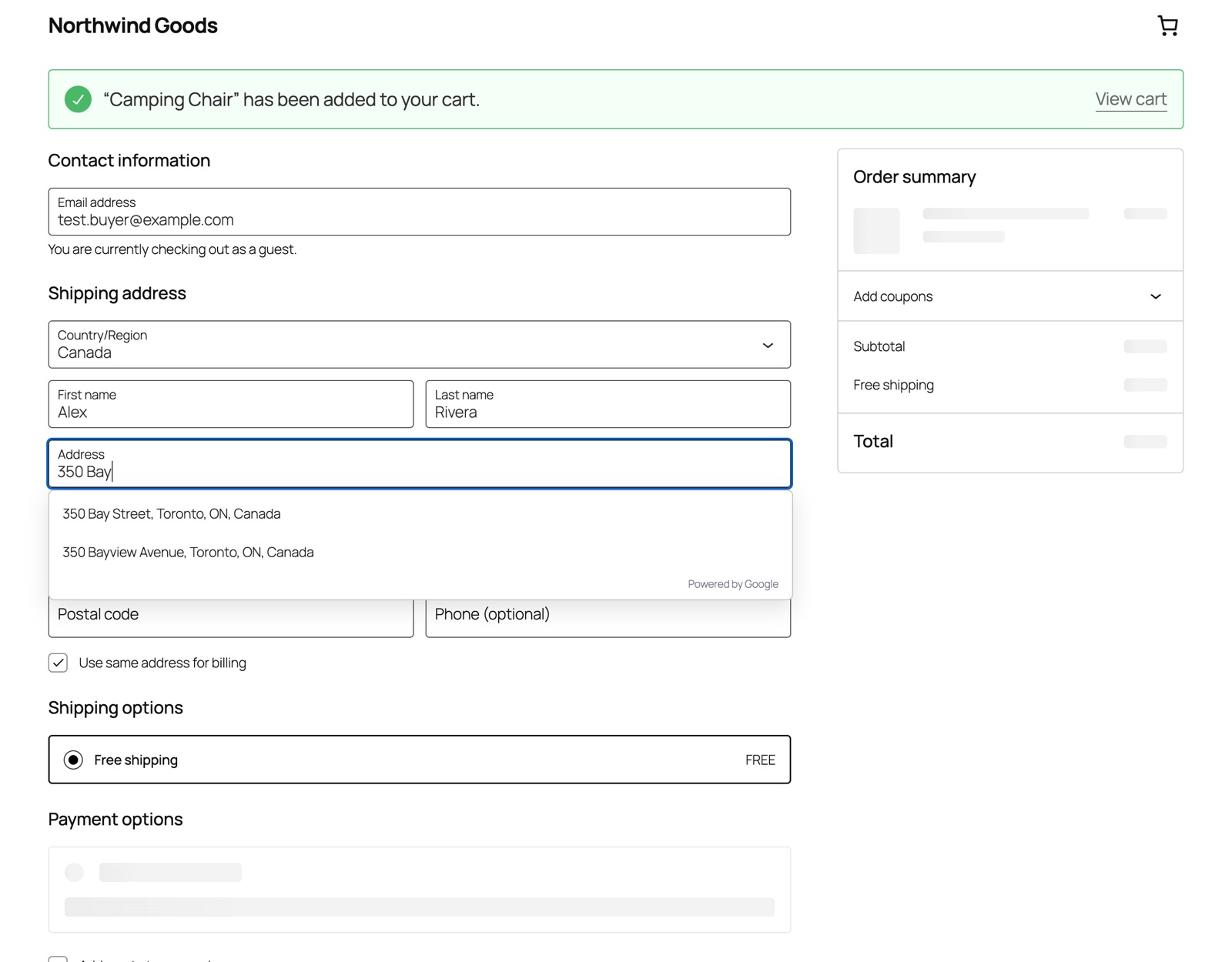
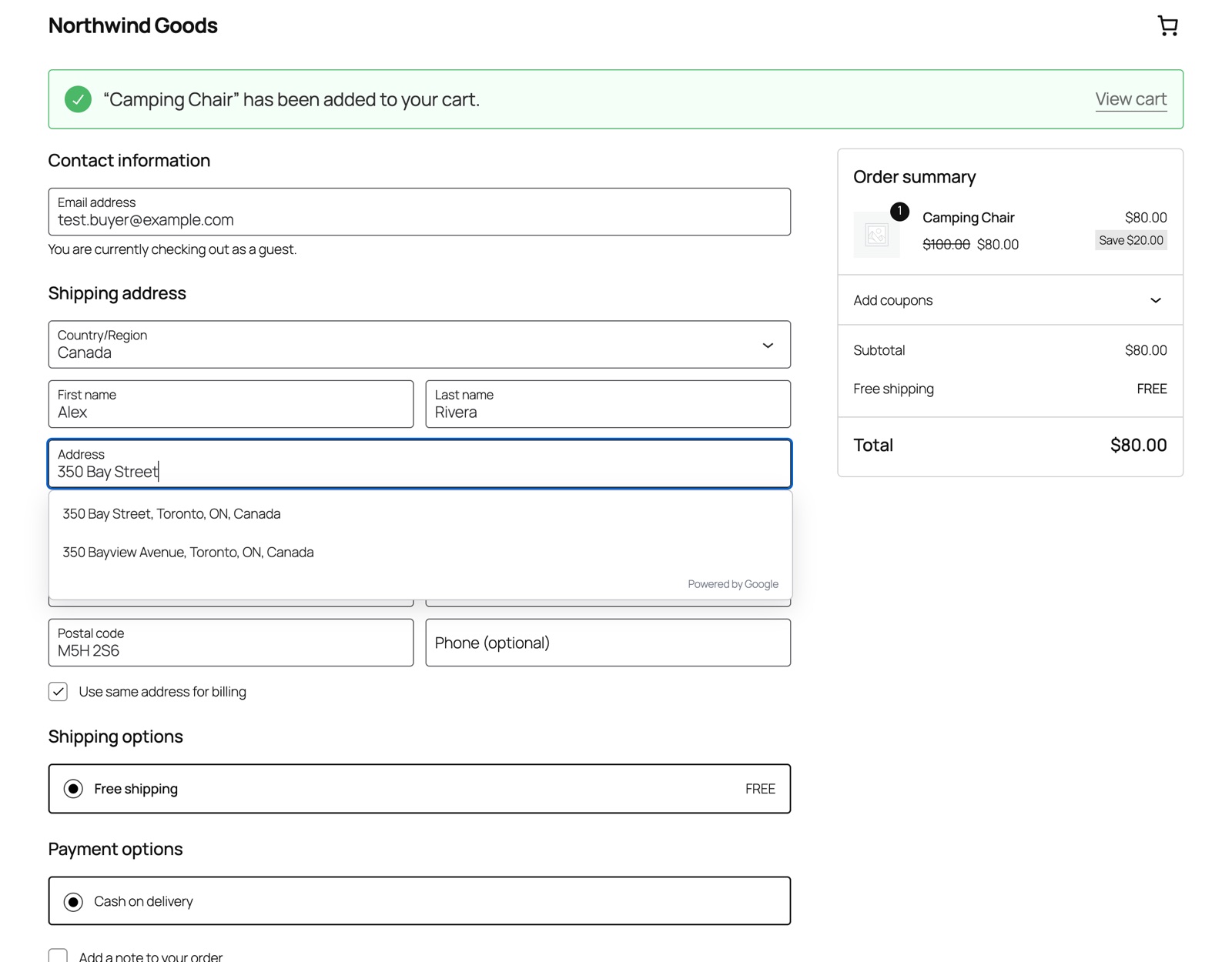
Typing a full address on a phone is slow, and one typo means a parcel that never arrives. Checkout Address Autocomplete suggests real addresses from Google as soon as a customer types three characters into the street field. One tap fills the street, apartment, city, province or state, postcode and country.
New WooCommerce stores use the block checkout by default, and many older address plugins only work with the classic checkout. This plugin works with both, and saves the full address on the order exactly as if the customer had typed it.
It is also built on Google Places API (New). Google stopped offering its older autocomplete to new Google Cloud projects in March 2025, so plugins built on it show nothing for new customers.
[woocommerce_checkout] checkout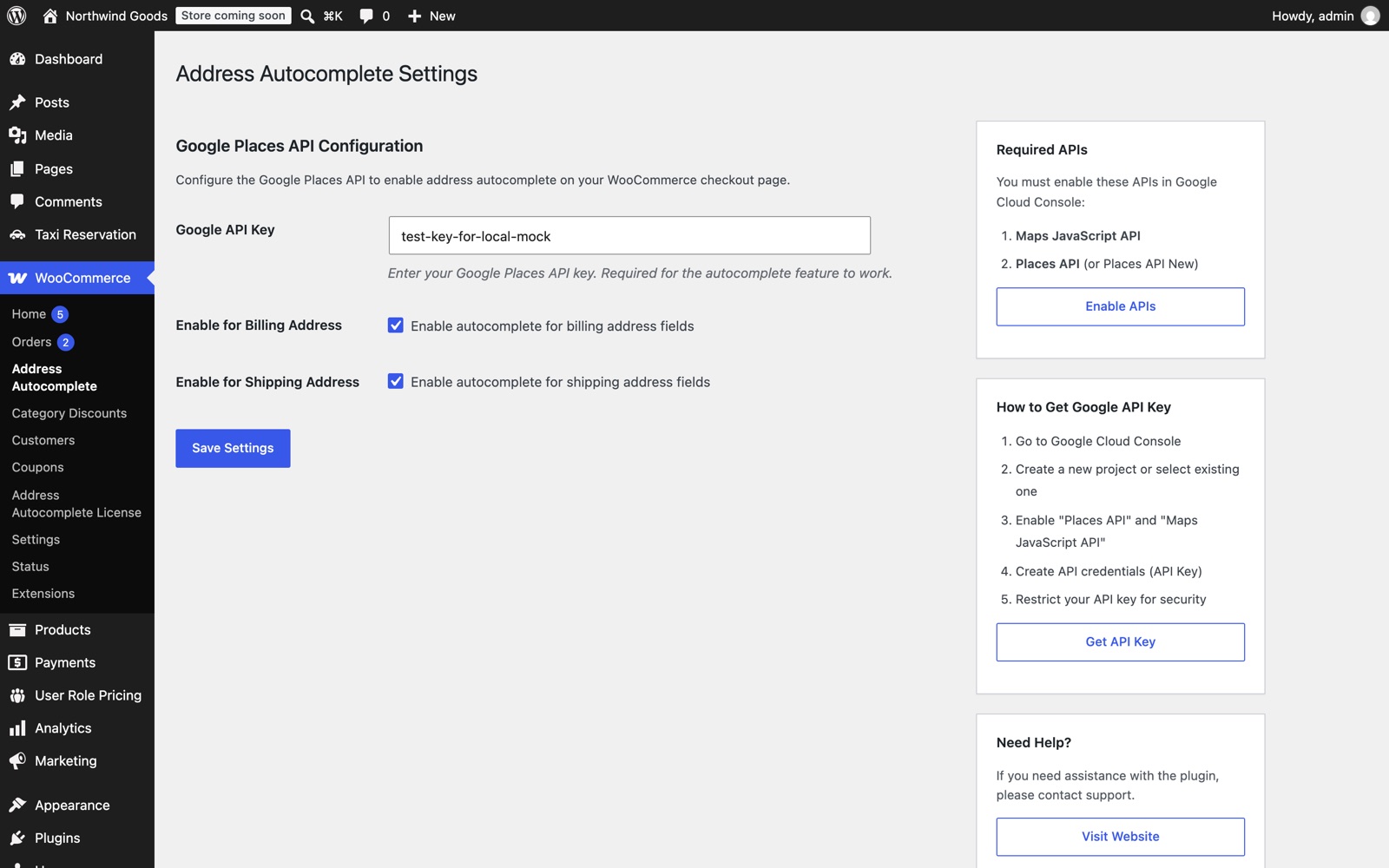
Paste a Google API key, choose billing, shipping or both, and you're done. The documentation walks you through creating the key.
Is Google usage included? No. Google bills address lookups to your own Google Cloud account.
Does it work if the license expires? Yes. Address suggestions keep working; updates and support stop until you renew.
Does a staging site use an activation? Yes, each domain uses one. Deactivate staging when you go live.
WordPress 5.0+, WooCommerce 8.0+ (tested with WordPress 7.1 and WooCommerce 11.3), PHP 7.4+, and a Google API key with Maps JavaScript API and Places API (New).