
WordPress plugins
MCP Server for WooCommerce
Connect Claude, ChatGPT, Cursor and other AI assistants to your WooCommerce store through the Model Context Protocol. Free edition: 27 read-only tools.
WordPress plugins
Connect Claude, ChatGPT, Cursor and other AI assistants to your WooCommerce store through the Model Context Protocol. Free edition: 27 read-only tools.
MCP Server for WooCommerce connects your store to AI assistants such as Claude, ChatGPT and Cursor through the Model Context Protocol (MCP), the open standard AI apps use to work with other software. Ask in plain language and get answers from your live store data:
The free edition lets AI look but not touch: store info and system status, products, variations, categories, tags and low stock, orders with notes and refunds, customers, coupons, reviews, settings, payment gateways, shipping zones, tax rates and a sales overview.
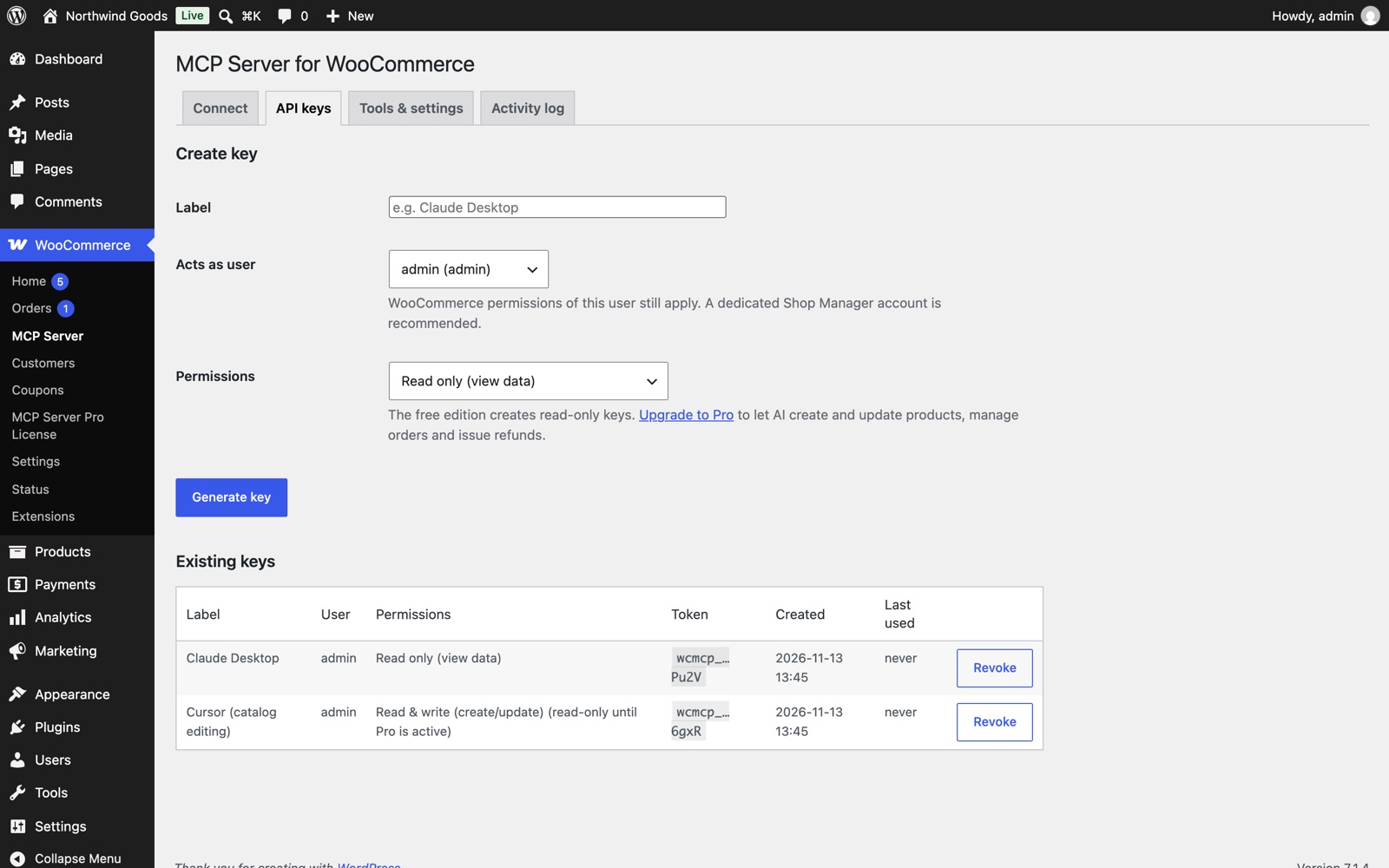
Need the assistant to make changes, such as updating prices, restocking, creating coupons, moving orders along or issuing refunds? MCP Server for WooCommerce Pro unlocks 35 more tools in the same plugin, with one license key.
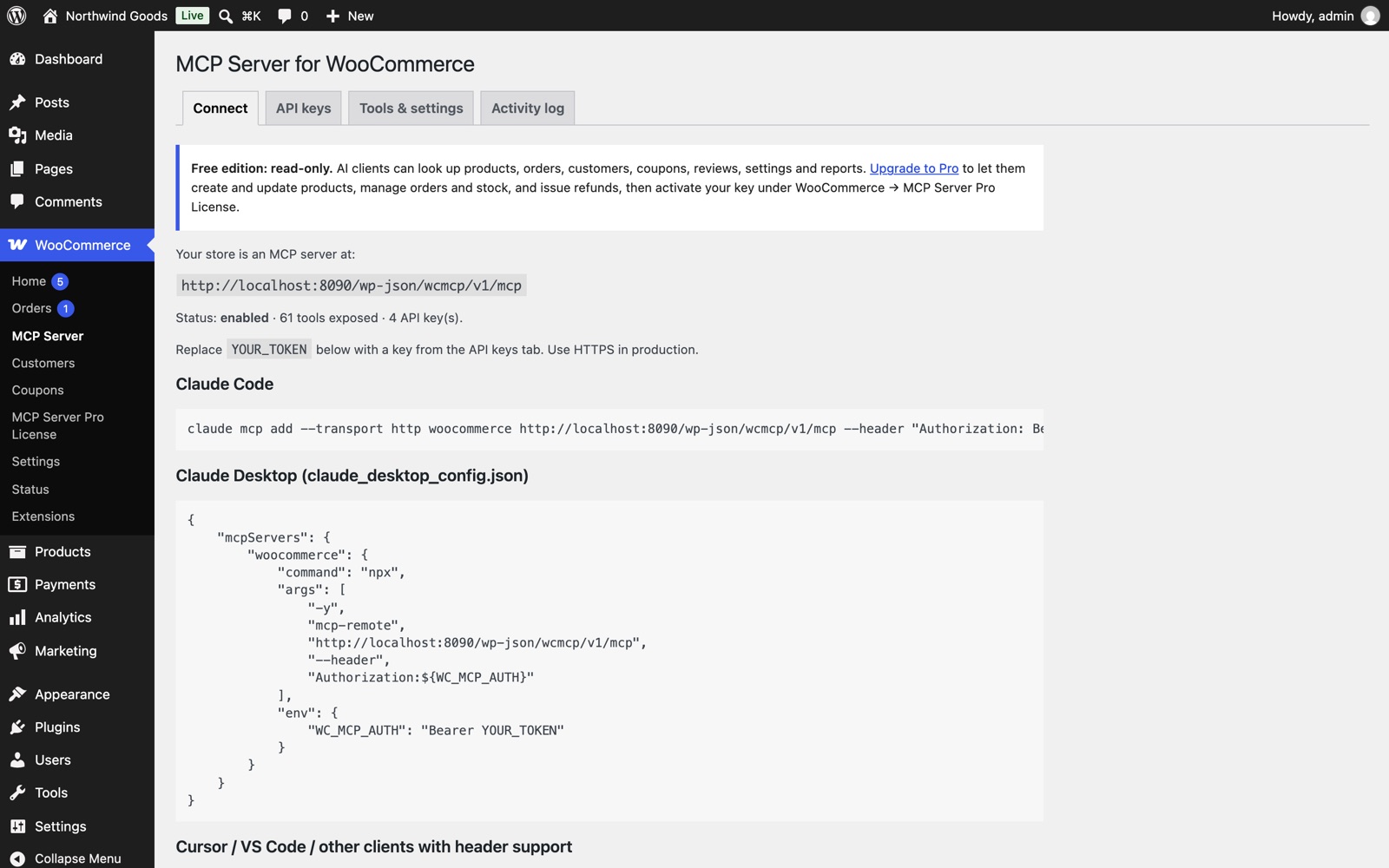
Claude Desktop, Claude Code, Cursor, VS Code and any MCP client that supports HTTP. The Connect tab gives you copy-and-paste setup for each.
WordPress 6.0+, WooCommerce 7.0+, PHP 7.4+, and HTTPS on your site. Tested with WordPress 7.1 and WooCommerce 11.3.
Read the documentation.
WordPress 6.0+, WooCommerce 7.0+, PHP 7.4+, HTTPS. Tested with WordPress 7.1 and WooCommerce 11.3.